

Add or Remove Charities from a List
Charity Lists can be updated at any time. This article explains how to add charities to a list or remove them as your interests change.
Adding Charities to a List
You can add a charity to a list when:
Viewing a Charity Profile
Reviewing search results
Exploring Giving Opportunities
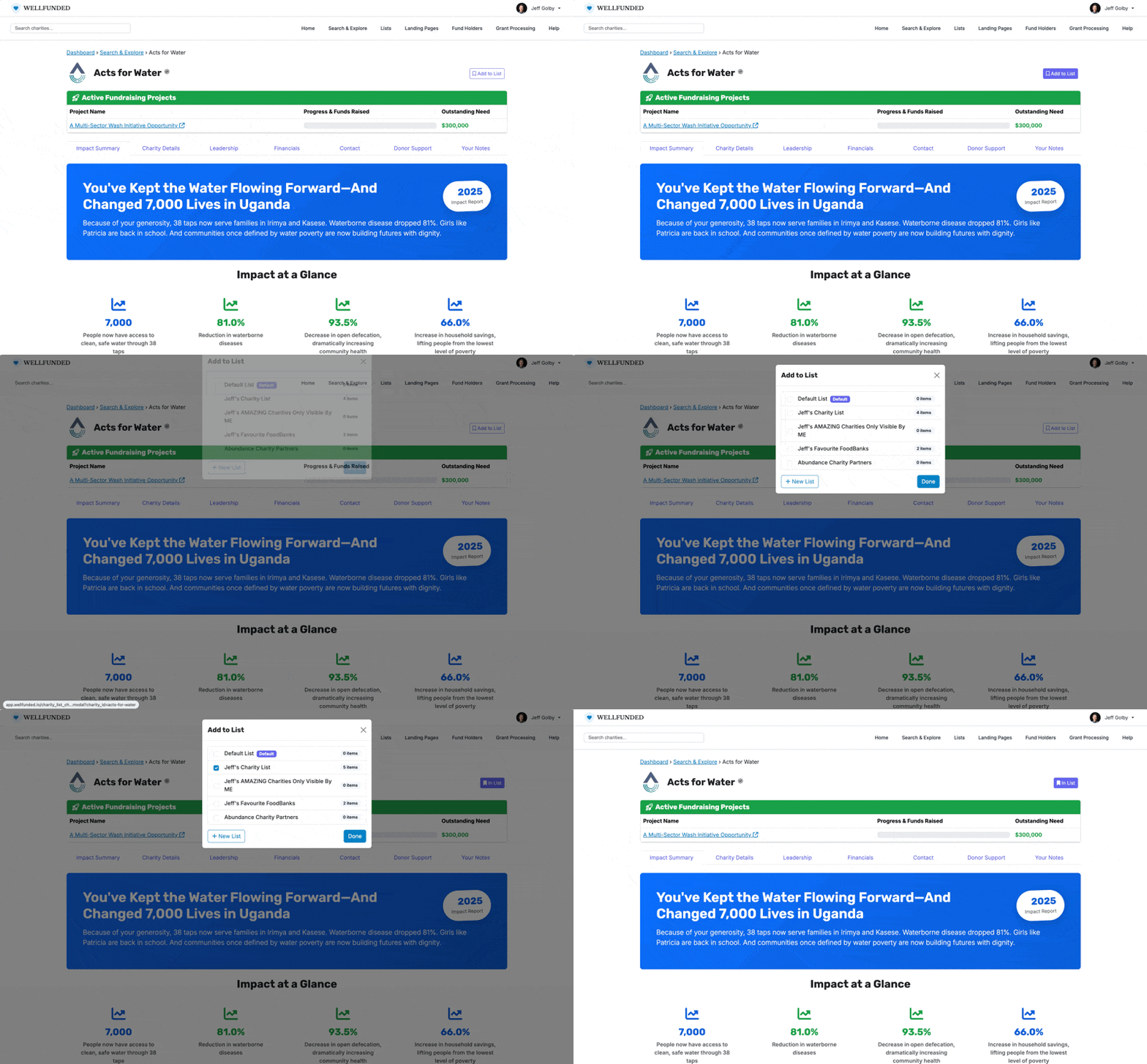
Select the option to add the charity to an existing list or create a new one.
Removing Charities from a List
To remove a charity:
Open the Charity List
Select the option to remove the charity
Save your changes if prompted
Removing a charity does not affect your relationship with the organization.
Managing Your Lists
You can revisit and update Charity Lists at any time. Lists are meant to be flexible and reflect your evolving priorities.
Learn More
For step by step guidance on specific features, browse or search this Help Centre.
If you are unable to find what you need, you can contact support at support@wellfunded.io.