

How to Update Your WellCheck to v2.1
We've launched a major update to WellCheck. The new version analyzes source documents like your theory of change, annual reports, and audited financials — delivering a significantly richer and more comprehensive assessment of your organization.
The good news: if you've already completed a WellCheck, upgrading is fast. We've pre-filled your previous answers, eliminated over 60% of the original questions, and put everything you need in one place.
Here's how to do it.
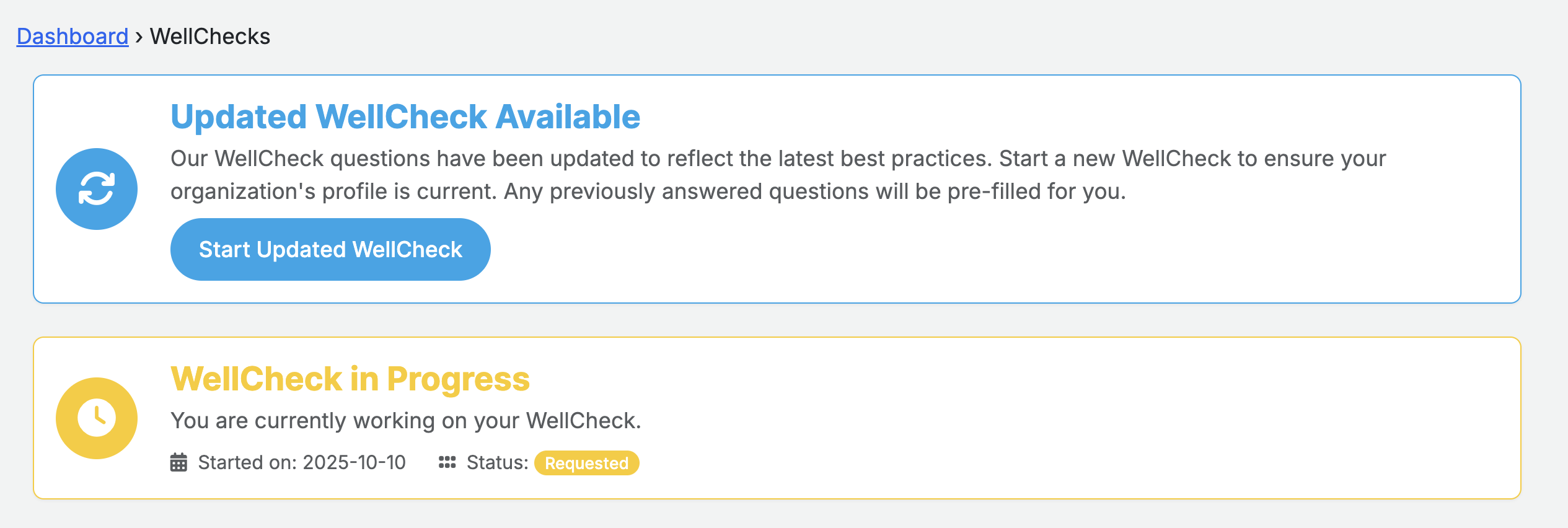
Step 1: Look for the Update Banner
When you navigate to your WellCheck page, you'll see a banner letting you know an updated version is available. Click Start Updated WellCheck to begin.
Step 2: Upload Your Documents
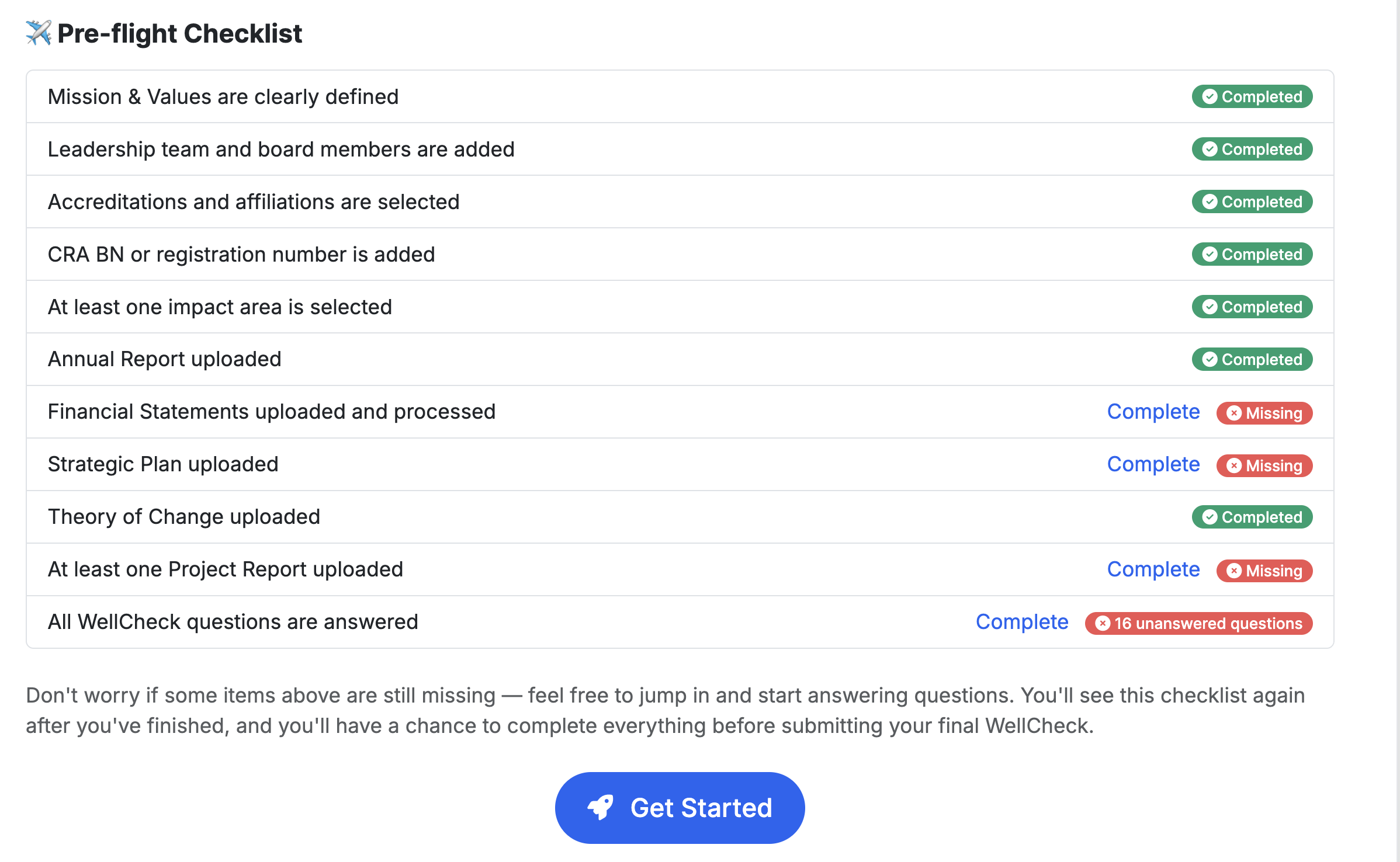
With the new WellCheck, we now analyze your source documents directly — this is what powers the deeper analysis. Click Complete next to any document you're missing to be taken to the Document Upload Centre.
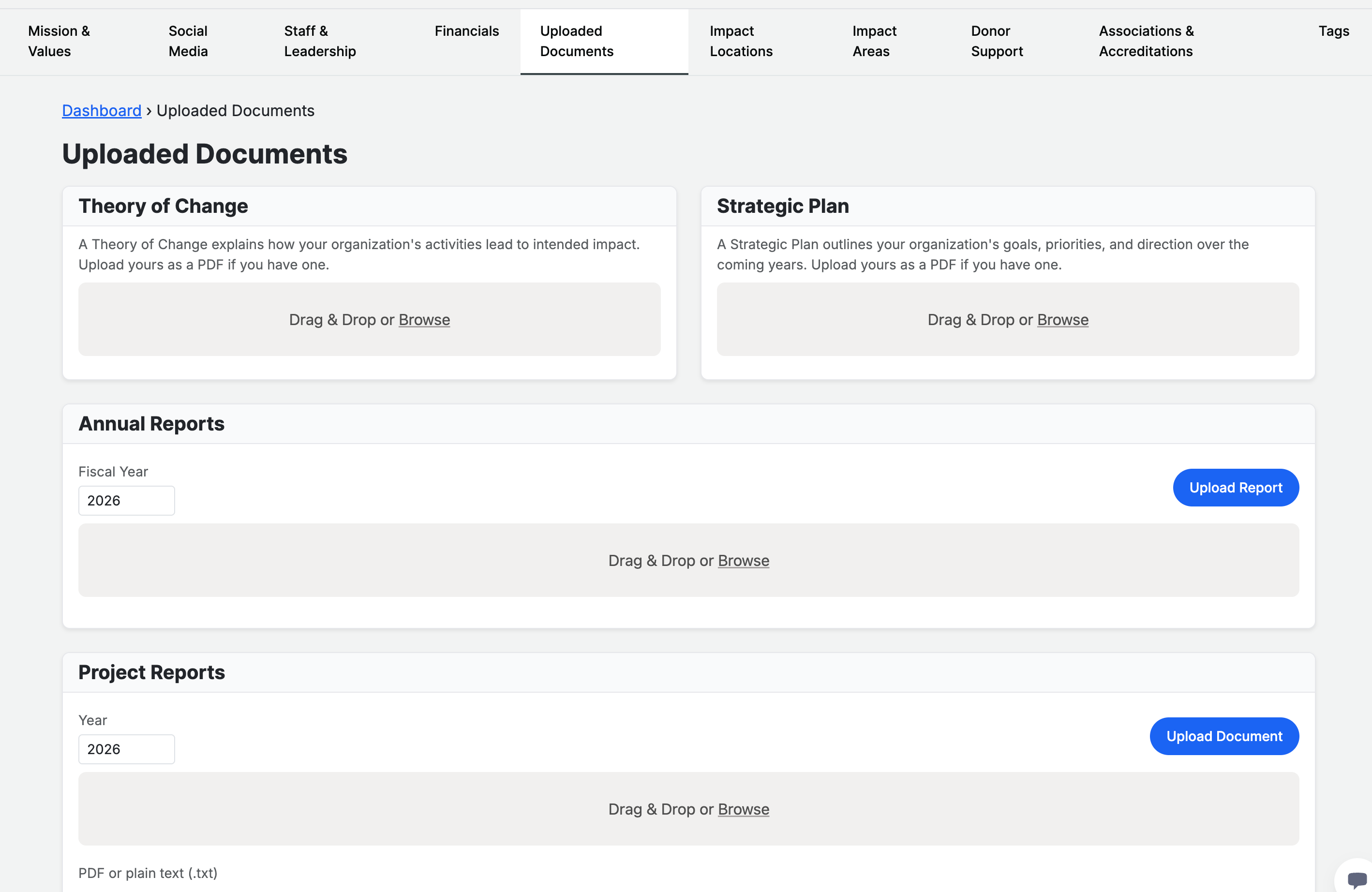
From the Document Upload Centre, you can upload:
Theory of Change — explains how your activities lead to intended impact
Strategic Plan — outlines your goals, priorities, and direction
Annual Reports — your most recent annual or impact report
Project Reports — any additional project-level documentation
All of these uploads are in one place. Just drag and drop or browse to upload.
Don't have all of them? That's completely fine. Upload what you have. WellCheck will work with whatever documents are available — more documents simply means a richer assessment.
Step 3: Upload Audited Financials (Separate Location)
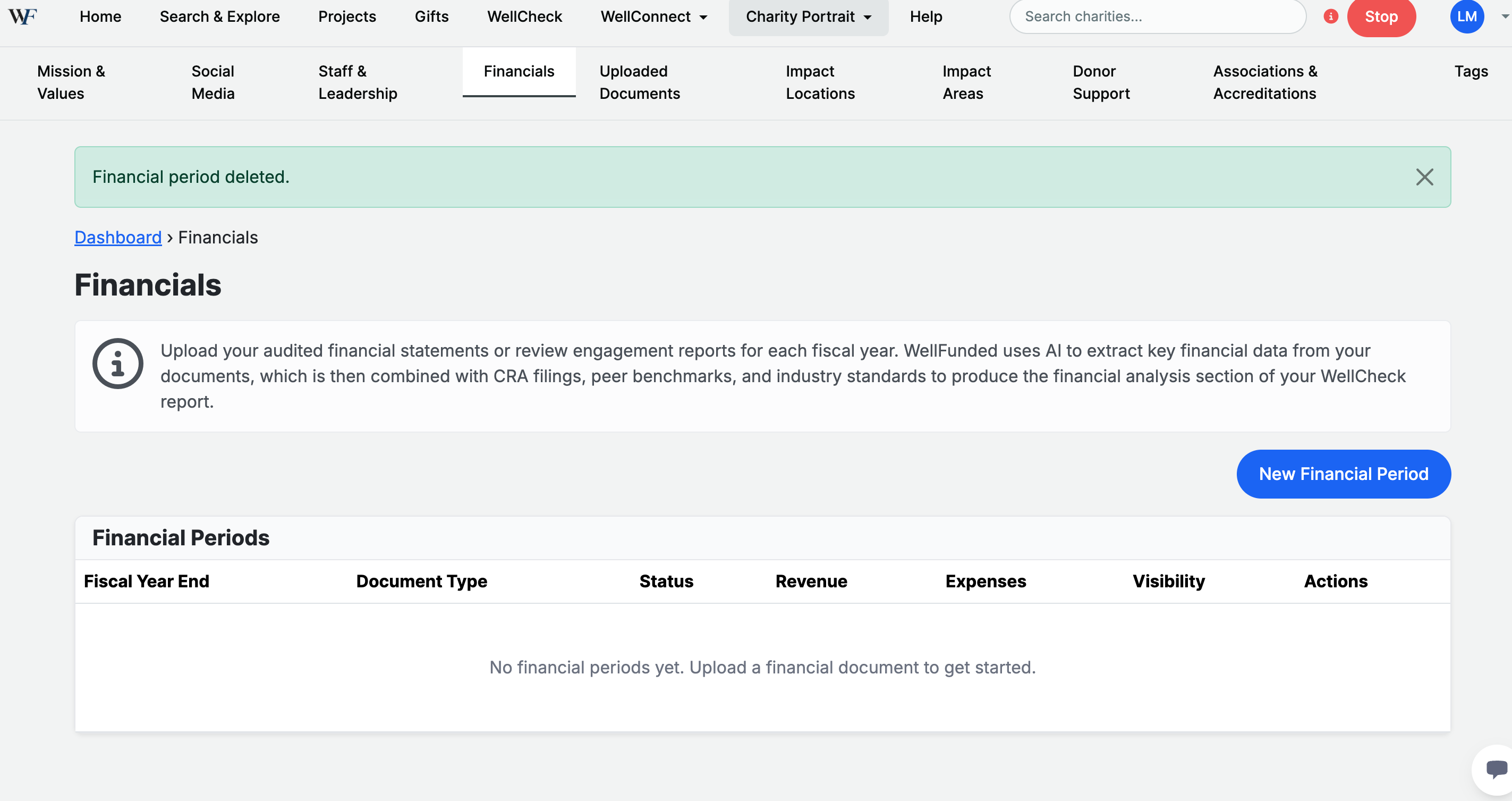
Audited financial statements are uploaded from the Financials tab on your Charity Portrait, not the Document Upload Centre. Navigate to Charity Portrait → Financials and click New Financial Period to upload your audited financial statements or review engagement reports.
Step 4: Answer the Updated Questions
Click back into your WellCheck and hit Get Started. You'll be guided through the updated questionnaire — but don't worry, we've pre-filled all of your previous answers. Just review and confirm them as you go.
There are 2 new questions, bringing the total to just 17 questions (down from over 40 in the previous version).
Step 5: Submit
Once you've confirmed your answers and uploaded your documents, hit Submit. That's it — your updated WellCheck will be generated using our analysis engine, incorporating everything you've provided along with years of CRA filings and peer benchmarking data.
Frequently Asked Questions
How long does this take? Most organizations complete the update in under 10 minutes, since your previous answers are already pre-filled.
Will my old WellCheck disappear? Your previous WellCheck will be replaced by the updated version once the new one is generated.
What if I don't have a theory of change or strategic plan? Upload whatever documents you have. The more you provide, the more comprehensive your assessment will be — but WellCheck generates a thorough report regardless.
After You Submit
Your WellCheck is a point-in-time assessment. Once submitted, your responses are analyzed alongside CRA filings, uploaded documents, and peer benchmarks to generate your report.
Noticed an error? If you spot a factual mistake within 48 hours of submitting, email support@wellfunded.io and we'll reopen your assessment for a one-time correction.
Need to update your information later? Your answers and documents can be refreshed the next time a WellCheck is requested for your organization. This ensures your report always reflects your most current information at the time of assessment.
Understanding Your WellCheck (and the tightrope we're walking) see our thoughts on this topic HERE.